For academic synthetic biology labs
Collaborative electronic lab notebook for synthetic biology labs
Updated November 2026
TeselaGen is a collaborative electronic lab notebook for synthetic biology labs and the research groups they work with. Each group keeps its notebook, sequences and designs in its own workspace, researchers who work with several groups switch between those workspaces, and every saved version of an entry records who made it.
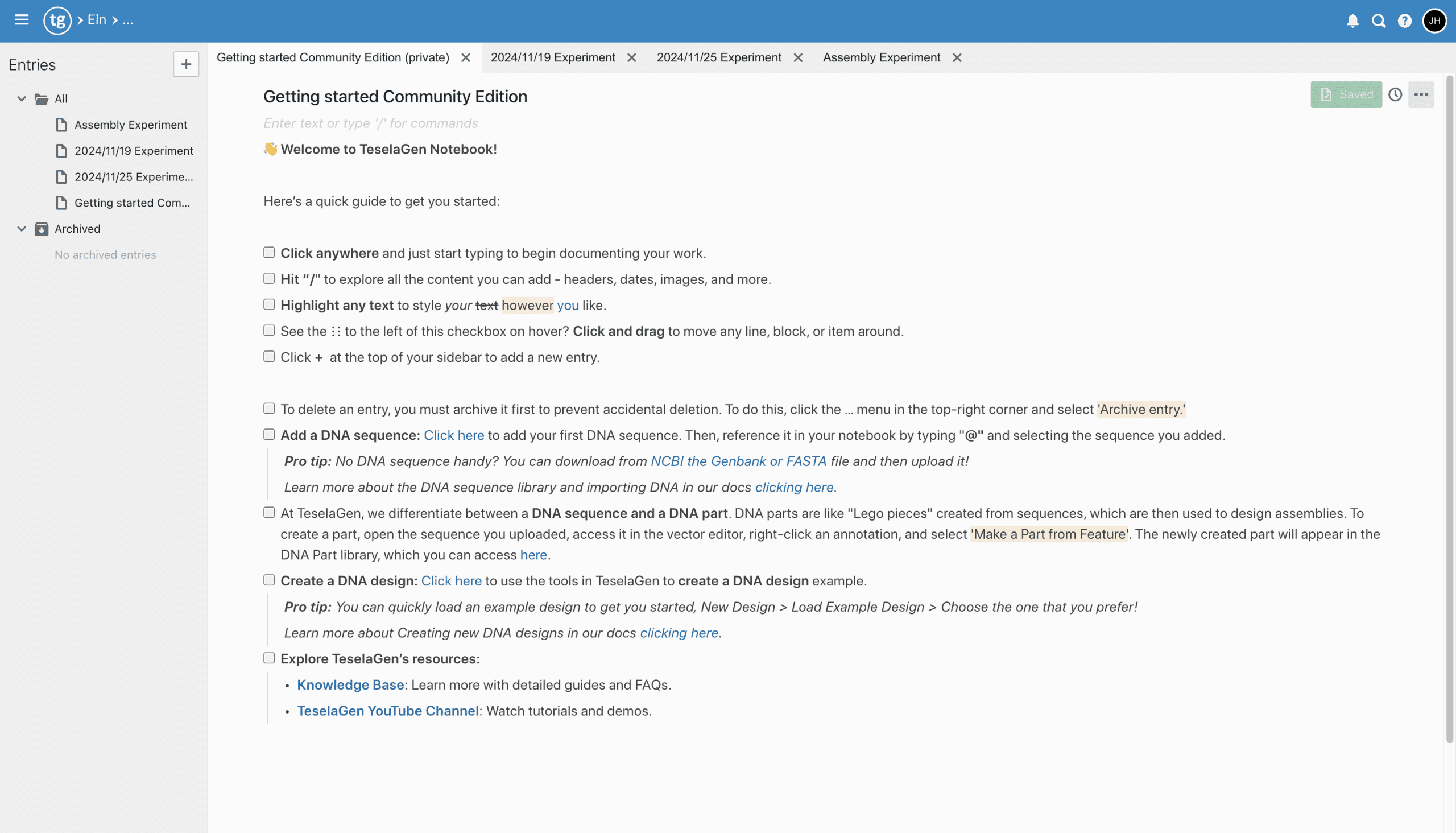
Which collaboration features come with TeselaGen Community?
The notebook and its collaboration features are part of TeselaGen Community, the free edition for individual researchers, academic labs and small teams. It includes:
- Workspaces you create and invite colleagues into by email
- Membership in several workspaces, with a workspace switcher in the header
- Real-time co-editing of notebook entries, with named cursors and avatars of who has the entry open
- Version history for every entry, with restore
- @ links to sequences and other records, and @ mentions that notify a colleague
- A workspace template library and notebook folders
- Entry export as JSON or PDF
- TeselaGen CoScientist, the AI assistant inside the platform, and the REST API
What is the best electronic lab notebook for collaborating across multiple research groups?
TeselaGen is an electronic lab notebook built for collaboration across research groups: each group gets its own workspace, one researcher can belong to several workspaces, and every saved version of an entry records who saved it. Entries in a workspace are co-edited in real time and link to the sequences and designs they describe.
A project that spans groups can have a workspace of its own that every collaborator joins, while each group's day-to-day records stay in its group workspace.
| What the collaboration needs | Where it is in TeselaGen |
|---|---|
| Each group keeps its own records | One workspace per group |
| People who work with several groups | Membership in several workspaces |
| Several authors in one entry | Real-time co-editing |
| Knowing who changed what | Entry version history |
| Bringing a colleague into an entry | @ mentions with a notification |
| Recording experiments the same way | Workspace template library |
Which electronic lab notebook suits academic synthetic biology labs best?
TeselaGen Community suits academic synthetic biology labs: it is a free electronic lab notebook whose entries link to the sequences and other records they describe, and every member of the workspace works from the same records.
Next to the notebook, Community has the sequence editor, the sequence and parts library, Gibson and Golden Gate assembly design with an assembly protocol for each design, and primer design, so a group's designs and its experiment records share one workspace.
A principal investigator can own the group's workspace and invite students, postdocs and visiting researchers. When a student finishes their degree, their entries, sequences and designs remain in the workspace for the rest of the group.
How does a research group share a TeselaGen workspace?
A research group shares a TeselaGen workspace when its owner invites each member by email address from the workspace settings. An invited researcher signs up for an account if they do not have one and then sees the workspace's notebook, folders and libraries.
Any researcher can create a new workspace from the workspace chooser and becomes its owner. Workspace members have the role owner, admin or member, and pending invitations are listed beside the invitation form.
Can one researcher work in several research groups' workspaces?
Yes. In TeselaGen a researcher can be a member of several workspaces and switch between them from the header, so a postdoc shared by two groups or a core facility scientist works in each group's workspace with one account.
Each notebook entry, sequence and design belongs to the workspace where it was created. Switching changes which notebook and libraries you see, and one group's records never appear in another group's workspace.
Can several people edit the same notebook entry at once?
Yes. TeselaGen notebook entries support real-time co-editing: each author's cursor carries their name and color, and the entry header shows avatars of the colleagues who have it open.
Edits merge as people type, so nobody has to wait for a colleague to close the entry. Typing @ and a colleague's name mentions them in the text, and TeselaGen sends them a notification that opens the entry.
How do you see who changed a notebook entry?
In TeselaGen, the History tab of a notebook entry lists every saved version with the user who saved it and the time.
Selecting a version opens it read-only, so you can read the entry as it stood then. Restore to version returns the entry to that state, and Duplicate from version copies that state into a new entry.
How do notebook entries stay connected to a group's sequences and data?
In TeselaGen, typing @ in a notebook entry links a sequence or other record from the workspace, and a sequence can be embedded in the entry.
An entry points at the record itself, so every member of the workspace opens the sequence the author used. Turn a well-structured entry into a template with Transform into template, and every member can start new entries from it so the group records an experiment the same way.
Can an AI assistant add entries to a shared notebook?
Yes. TeselaGen CoScientist can write a notebook entry into the shared workspace when you ask it to, and it also designs PCR primers and explains how to do a task in the platform.
An entry CoScientist creates is an ordinary entry that every member of the workspace can open, edit and co-author.
Any member who signs in through the TeselaGen MCP server can also have Claude or another Model Context Protocol (MCP) client write a notebook entry into a workspace they belong to.
What does Enterprise add for a group that signs entries or tracks samples?
Enterprise adds formal sign-off and the tools for tracking physical work. It adds:
- Digital signatures on notebook entries
- Inventory and the material registry for reagents and samples
- Freezer and equipment management
- Workflow management
- Lab automation, including worklists for liquid handlers
- Discover, for machine learning on experimental data
Who is TeselaGen's collaborative notebook for?
TeselaGen is for synthetic biology labs whose experiments involve several people or several groups and who want the notebook tied to the sequences and designs it describes.
- Academic labs where students, postdocs and the PI write in the same notebook
- Collaborations between groups in a department, institute or consortium
- Researchers who work with several groups and keep each group's records apart
- Core facilities that build constructs for several labs
- Groups that want every member to record an experiment from the same template
How do I get started?
TeselaGen Community is free to start. The Enterprise features listed above come with TeselaGen Enterprise.
Start free with Community
Create a workspace, invite your group and keep the notebook, sequences and designs in one place.
Start free with CommunityNeed signatures, inventory or workflows?
See how Community and Enterprise compare for a group that signs entries or tracks samples.
Compare plans and pricingFrequently asked questions
Can collaborators from another institution join our workspace?
Yes. The owner can invite any email address, so a collaborator at another university or company joins the same workspace with their own account.
Can an invitation be withdrawn before it is accepted?
Yes. The workspace owner sees pending invitations in the workspace settings and can cancel one before the person accepts it.
Can a member leave a workspace on their own?
Yes. Someone with the member role can leave a workspace from its member list, as long as they still belong to another workspace.
Do collaborators need to install anything?
No. Collaborators open TeselaGen in a web browser and accept the email invitation, with nothing to install.