For iGEM and student teams
DNA construct design software for iGEM teams
Updated October 2026
TeselaGen Community is free DNA construct design software for iGEM teams, with the lab notebook built in. Your team designs constructs in the sequence editor, generates an assembly protocol for each design, prepares the DNA order and records every build in a notebook entry linked to its design, all in one workspace you invite teammates into.

What can an iGEM team do for free in TeselaGen Community?
A team can design constructs, prepare DNA orders and keep the notebook at no cost in TeselaGen Community, the free edition for individual researchers, academic labs and small teams. It includes:
- Sequence editor with plasmid maps, annotation, restriction site search, digests and alignments
- Sequence and parts library shared by everyone in the workspace
- Gibson assembly design, and Golden Gate design with the Type IIS enzyme you choose, with an assembly protocol for each design you submit
- Primer design and the built-in IDT and Twist ordering tools
- The electronic lab notebook, with templates, data tables and links to sequences
- The REST API
- TeselaGen CoScientist, the AI assistant inside the platform
Where can an iGEM team keep designs, DNA orders and lab records together?
An iGEM team keeps them together in TeselaGen Community, which puts the sequence editor, the parts library, assembly design, the ordering tools and the electronic lab notebook in one free workspace. Each construct stays linked to the design that produced it and the experiment that tested it.
Teams that split the work across a plasmid map tool, a spreadsheet and a shared drive lose versions at every handoff. In one workspace, the design, the assembly protocol and the lab record all point at the same sequence.
| Workflow step | Where it happens |
|---|---|
| Design the construct | Sequence editor and assembly design |
| Plan the build | Assembly protocol and primer design |
| Prepare DNA orders | Built-in IDT and Twist ordering tools |
| Document the work | Notebook entries linked to designs |
| Share with teammates | Workspace invitations |
What should DNA construct design software for an iGEM team do?
DNA construct design software for an iGEM team should draw each construct from annotated parts, show every junction, output the steps to build it and keep the result tied to the experiment that tested it. In practice that means:
- Annotated parts and plasmid maps everyone can open
- Gibson and Golden Gate design with every junction visible
- An assembly protocol listing the primers and fragments to order
- Notebook entries that link back to the design
- Shared access for every member of the team
Can an iGEM team design DNA constructs in TeselaGen for free?
Yes. TeselaGen Community includes the sequence editor, the parts library and assembly design, so a team designs and plans every construct at no cost.
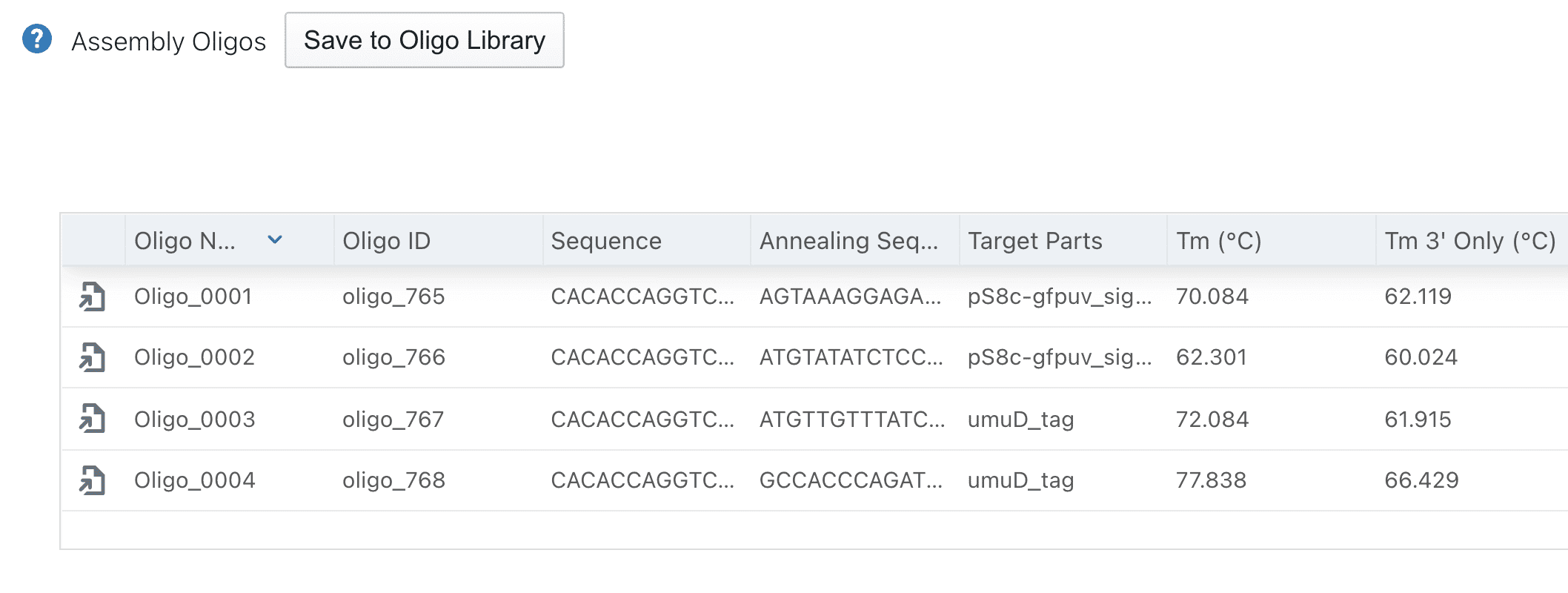
In the design editor you lay out the parts of a construct in order, choose Gibson or Golden Gate assembly, and review the design before you submit it. For Golden Gate, you pick the Type IIS enzyme for the reaction; TeselaGen designs the junction overhangs, and for parts you prepare by digest you can specify the overhang bases yourself. TeselaGen then validates the design and generates an assembly protocol that lists the input sequences and parts, the oligos, the PCR reactions, the assembly pieces and the finished constructs.
From the assembly protocol you save the constructs and oligos to your workspace libraries, so the next design can reuse them, or export the oligos as CSV. You build the DNA orders for IDT (oligos and double-stranded DNA fragments) and Twist (DNA fragments and clonal genes) with the built-in ordering tools and submit them to the vendor, without retyping a sequence.
How can a student team document experiments in the ELN?
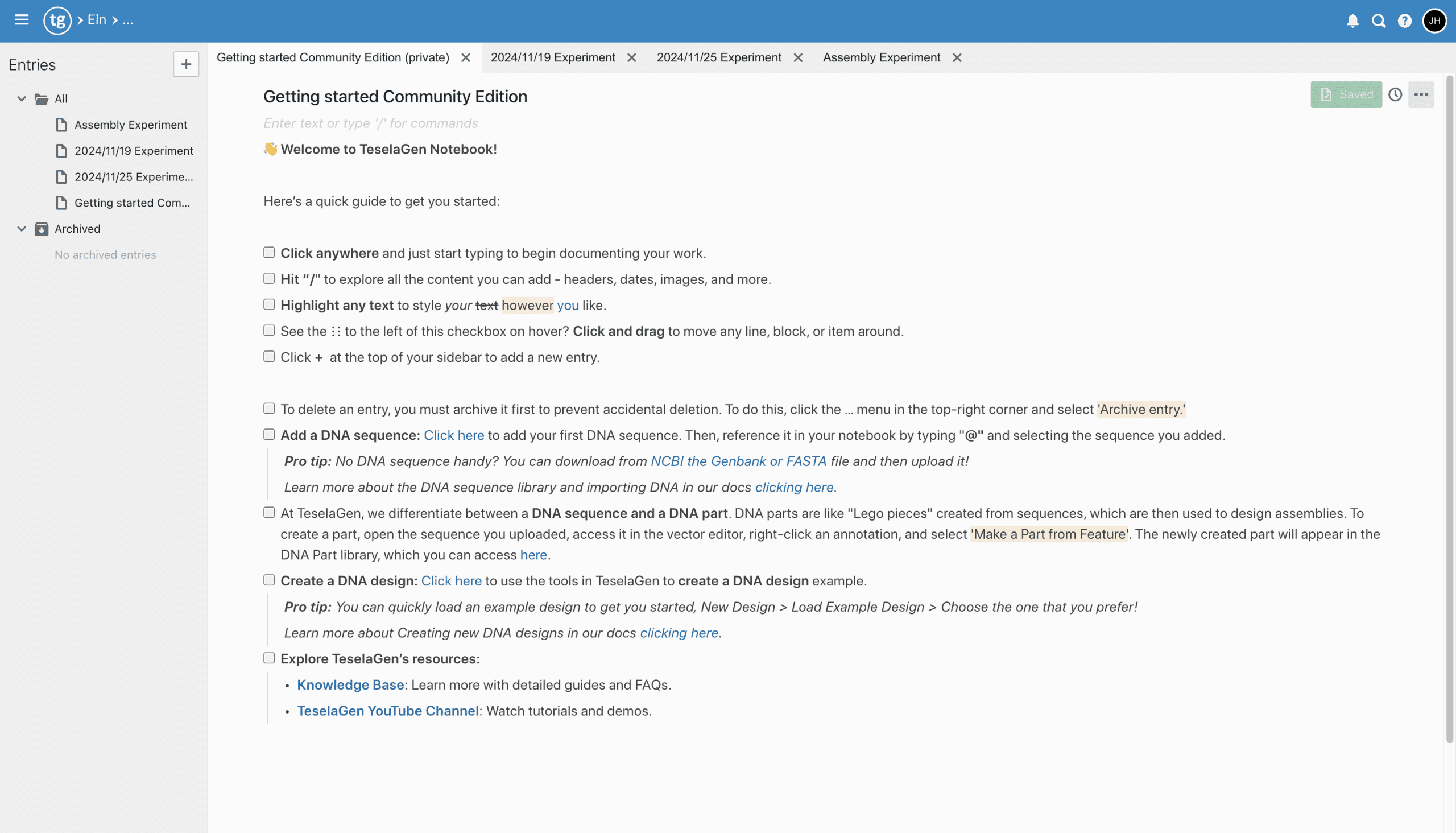
In TeselaGen, a student team documents each experiment as a notebook entry in the electronic lab notebook (ELN), linked to the construct it builds or tests.
A notebook entry holds rich text, images, attachments and data tables, and typing @ inserts a live link to a sequence or other record. Entries have version history, and you can copy one to start the next run, so a repeated protocol keeps the same structure.
Record failed attempts in the notebook as well, with your best guess at the cause. Judges and next year's team learn as much from a documented troubleshooting path as from a clean result.
How do you keep parts and records traceable in one workspace?
In TeselaGen, you keep parts traceable by storing each one once in the shared sequence and parts library and linking every design and notebook entry to that record.
Sequences keep their annotations. Because designs, oligos, constructs and notebook entries all point at the same sequence record, a teammate can start from a construct and follow it back to the design that produced it and forward to the experiment that tested it.
Can a whole iGEM team share one TeselaGen workspace?
Yes. A TeselaGen workspace can have many members, with owner-managed invitations, so the workspace owner invites new students and keeps everyone on the same libraries and notebook.
Notebook entries support real-time editing by several authors, and notebook folders group related entries.
Can an AI assistant help a new team with construct design?
Yes. TeselaGen CoScientist, the AI assistant included in Community, designs PCR primers, adds sequences such as a cloning vector to your workspace and answers questions about how the platform works.
CoScientist works inside your workspace, so a sequence or notebook entry it creates is an ordinary record you open, edit and use in a design like any other.
The TeselaGen MCP server connects Claude, an IDE or any other Model Context Protocol (MCP) client to your workspace over OAuth, where it can search sequences, design primers, create a notebook entry and search the TeselaGen documentation.
What does Enterprise add for a team that needs inventory, workflows or automation?
Enterprise adds the tools for multi-level builds and for tracking what happens at the bench. It adds:
- Advanced molecular biology: multi-level (hierarchical) designs and PCR, USER and other assembly methods
- Inventory and the material registry for reagents and samples
- Freezer and equipment management
- Workflow management
- Lab automation, including worklists for liquid handlers
- Discover, for machine learning on experimental data
Who is TeselaGen construct design for in iGEM?
TeselaGen is for iGEM and student teams that design several constructs over a season and want the designs, the DNA orders and the lab records in one place that every member can open.
- Teams building from Type IIS parts by Golden Gate, or joining a few long fragments by Gibson
- Teams with several members designing and documenting in parallel
- Teams that want the wiki written from records kept during the build
- Teams that hand their parts and records to next year's members
- New teams that want CoScientist to design primers and answer how-to questions
How do I get started?
TeselaGen Community is free to start. The Enterprise features listed above come with TeselaGen Enterprise.
Start free with Community
Design constructs, prepare DNA orders and keep the notebook in one TeselaGen Community workspace.
Start free with CommunityNeed inventory, workflows or automation?
See how Community and Enterprise compare for a lab that runs builds every week.
Compare plans and pricingFrequently asked questions
Is TeselaGen affiliated with iGEM?
TeselaGen supported the iGEM Design League in 2021.
Do our parts have to follow an iGEM assembly standard if we build them by Gibson?
Yes, for parts you want considered for medals and awards. iGEM asks that Registry parts be compatible with BioBrick RFC10 or iGEM Type IIS RFC1000, whatever method you use to build them. The TeselaGen sequence editor searches a part for restriction sites, so you can check it for the EcoRI, XbaI, SpeI, PstI, NotI, BsaI or SapI sites those standards rule out before you order it.
Can we bring in parts and plasmids we already have?
Yes. Upload them as GenBank or FASTA files into the sequence library, where GenBank annotations come in as features, and turn the regions you build with into parts for your designs.
Do teammates need to install anything?
No. TeselaGen Community runs in the web browser, so each teammate signs up for a free account and joins the workspace when the owner invites them.
How do we get our records onto the team wiki?
Export what the wiki needs: a notebook entry exports as a PDF, sequences export as GenBank or FASTA files, and the oligos from an assembly protocol export as CSV.
Can next year's team pick up our work?
Yes. Have a member who stays across seasons, such as your faculty advisor, own the workspace. The owner invites next year's members, and the designs, parts, assembly protocols and notebook entries stay in the workspace when this year's students leave.