For individual researchers, academic labs and small teams
Free Gibson assembly design tool for academic labs
Updated October 2026
TeselaGen Community is a free Gibson assembly design tool. Lay out your vector and inserts, and TeselaGen computes the overlap at every junction, designs the primers with their overlap tails and generates an assembly protocol you can take to the bench.
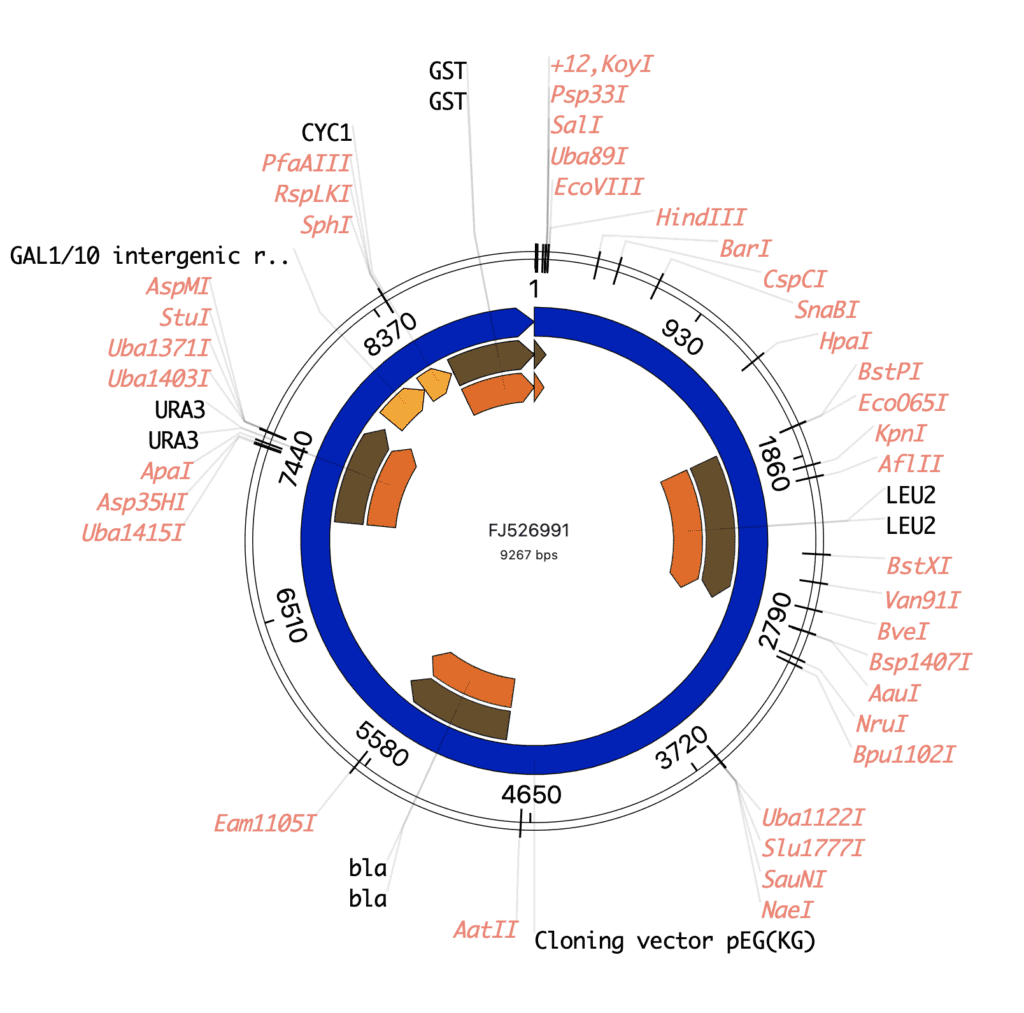
What does TeselaGen Community include for Gibson assembly?
Community covers a Gibson build from the vector map to the oligo order, at no cost:
- Gibson, SLIC and CPEC design with automatic overlap and primer design
- An assembly protocol for each design you submit, with the overlap at every junction and each primer's annealing sequence and Tm
- Sequence editor with plasmid maps, digests and annotation, to prepare the vector
- Golden Gate assembly design in the same editor
- Built-in ordering tools for your oligos and DNA fragments
- TeselaGen CoScientist, the AI assistant inside the platform
- The electronic lab notebook, so each build is documented next to its design
What is the best free tool for designing a Gibson assembly?
TeselaGen Community is a free Gibson assembly design tool that takes you from sequences to an oligo order in one place: it computes every overlap, designs the primers with their tails and generates the assembly protocol.
Every junction, primer and simulated construct stays attached to the design in your workspace, next to the sequence library and the notebook entry for the build. When you change an insert, resubmit the design and TeselaGen recomputes every overlap and primer from it.
How does TeselaGen plan Gibson overlaps and design the primers?
TeselaGen computes the homology at each junction between neighboring fragments and designs primers that carry that overlap as a 5' tail, so every PCR product ends in the sequence of its neighbor.
Set the assembly method to Gibson/SLIC/CPEC in the Assembly Reaction Details panel of the design inspector. Overlap length, the overlap melting temperature window and the minimum fragment size are parameters of each reaction: save a set you like with Save Current Reaction Template as Preset, and apply it to the next design with Load Reaction Template.
How do I prepare the vector backbone for a Gibson assembly in TeselaGen?
Open the vector in the TeselaGen sequence editor, filter the cut sites to single cutters at your insertion point, and simulate the digest to see the linearized backbone on a virtual gel before you choose enzymes.
The linearized vector then goes into the first bin of the design, with one bin for each insert after it, and TeselaGen plans the overlaps that close the circle.
What is in the Gibson assembly protocol TeselaGen generates?
The Gibson assembly protocol shows the overlap each assembly piece shares with the next one, and for every oligo its full sequence, the annealing sequence and the melting temperature, alongside the PCR reactions and the finished constructs.
Build the oligo and fragment orders for IDT (oligos and double-stranded DNA fragments) or Twist (DNA fragments and clonal genes) with the built-in ordering tools and submit them to the vendor. You can also export the oligo list as CSV.
Before you order, open the assembled construct in the sequence editor and review the translation across each coding junction. TeselaGen does not check that a coding junction stays in frame.
Can TeselaGen CoScientist set up a Gibson assembly for me?
Yes. Describe the vector and inserts to TeselaGen CoScientist, the AI assistant included in Community, and it creates the design with the Gibson/SLIC/CPEC method set.
Review the bins, then submit the design yourself or ask CoScientist to submit it. The primers and overlaps arrive with the assembly protocol.
The TeselaGen MCP server connects Claude, an IDE or any other Model Context Protocol (MCP) client to the same workspace, where it can search your sequences, design PCR primers, submit a design for assembly, check its status and read any errors or warnings with the constructs they affect.
| Step | Community (free) | Enterprise |
|---|---|---|
| Design the assembly, overlaps and primers | Included | Included |
| Generate the assembly protocol | Included | Included |
| Build oligo and fragment orders with the built-in ordering tools | Included | Included |
| Document the build in the notebook | Included | Included |
| PCR, USER and other assembly methods; multi-level designs | No | Advanced molecular biology |
| Track the reagents, samples and storage behind each build | No | Inventory, material registry, freezer and equipment management |
| Send a build to a liquid handler as a worklist | No | Workflow management and lab automation |
| Learn from the measured results of the constructs you build | No | Discover |
Who is the TeselaGen Gibson assembly design tool for?
The TeselaGen Gibson assembly design tool is for researchers who build plasmids from PCR-amplified inserts and a linearized vector, and want the overlaps, primers, assembly protocol and notebook record in one workspace.
- Academic labs and student teams who clone inserts into vectors and want every junction and primer laid out for review
- Groups that reuse inserts and oligos across constructs and want them kept in their sequence and oligo libraries
- Teams that document each build in the notebook next to the design that produced it
- Labs that move between Gibson and Golden Gate and want both methods in one design editor
How do I get started?
TeselaGen Community is free to start. The Enterprise features listed above come with TeselaGen Enterprise.
Start free with Community
Design your next Gibson assembly, from overlaps to oligo order, in TeselaGen Community.
Start free with CommunityRunning a core facility or company lab?
Enterprise extends the same design workspace for larger teams.
Compare plans and pricingFrequently asked questions
Is the TeselaGen Gibson assembly design tool free for academic labs?
Yes. TeselaGen Community, the free edition for individual researchers, academic labs and small teams, includes Gibson assembly design, primer design and an assembly protocol for each design.
What overlap length and melting temperature does TeselaGen use for Gibson assembly?
The shipped defaults are 26 bp of homology per junction and an overlap melting temperature window of 60 to 70 °C, with a 250 bp minimum fragment size. You can edit all three in the assembly parameters for each reaction.
Does TeselaGen plan SLIC and CPEC assemblies as well as Gibson?
Yes. Gibson, SLIC and CPEC share one flanking-homology method, Gibson/SLIC/CPEC, so the same overlap and primer design applies to all three.
Does TeselaGen flag Gibson junctions that need attention?
Yes. The assembly protocol lists warnings by priority, for example an assembly piece where no primer pair met the melting temperature settings, so you can adjust the parameters and resubmit.
Can I reuse primers and constructs from an earlier Gibson design?
Yes. From the assembly protocol you save the assembled constructs to your sequence library and the oligos to your oligo library, and both are available to every later design in the workspace.
Can TeselaGen plan Golden Gate assemblies as well as Gibson?
Yes. Choose Golden Gate as the assembly method and pick a Type IIS enzyme, and the same bins become a Golden Gate design, with junction overhangs you can specify at digest parts.